
Artificial intelligence is transforming video production and one of the most prominent platforms in this space is Runway AI. Tasks that once required cameras, actors, editors, designers and expensive production software can now be accelerated with AI-powered creative tools.
Runway is an AI-powered creative platform for generating and editing video, images, audio and other media. It provides generative models, creative tools, AI agents and customizable Workflows that allow users to build repeatable content-production pipelines.
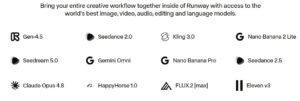
Runway has also expanded beyond its own models. Its current platform brings together Runway models and a growing selection of third-party models, allowing creators to experiment with different generation technologies from one interface.
In this complete guide, we will explore what Runway is, what it can do, how it works, its key features, how to create a Workflow, workflow nesting, business use cases, applications for students and creators, pricing, advantages, disadvantages, alternatives and frequently asked questions.
What Is Runway?
Runway is an AI-powered creative platform that helps users generate, edit and transform video, images and audio using artificial intelligence.
The platform is designed for people who want to create visual content without relying entirely on traditional production workflows.
Runway can be used for:
- Text-to-video generation
- Image-to-video generation
- Video editing
- Image generation
- Image editing
- Video upscaling
- AI-generated audio
- Voice and speech tools
- Character creation
- Video localization
- Creative automation
- AI-powered creative workflows

Its current platform includes models such as Gen-4.5, alongside third-party models such as Kling, Seedance, Nano Banana and others.
Runway has also introduced Runway Agent, an agentic creative assistant that can take a creative brief, plan the work, generate multiple assets and help produce finished video content through a conversational workflow.
What Can Runway Do?
Runway can support several stages of the creative process.
1. Generate videos from text
You can describe a scene in natural language and ask Runway to create a video.
For example:
“A cinematic shot of a futuristic city at night, with flying vehicles moving between skyscrapers, neon lights reflecting on wet streets.”
The AI interprets the prompt and generates video based on the description.
2. Turn images into videos
You can upload an image and use AI to animate it.
For example:
Product Image
      ↓
Runway AI
      ↓
Motion + Camera Movement
      ↓
Video
This is useful for:
- Product advertisements
- Social-media content
- Presentations
- Storytelling
- Marketing campaigns
3. Edit existing videos
Runway isn’t limited to generating videos from scratch.
Its AI editing capabilities can modify existing footage, including tasks such as changing elements, backgrounds, lighting and other visual properties.
Runway’s Aleph family is designed for video transformation and editing, while Edit Studio provides a more production-oriented editing environment.
4. Generate images
Runway provides image-generation models as part of its broader creative platform.
You can create:
- Characters
- Product images
- Backgrounds
- Concept art
- Storyboards
- Marketing graphics
5. Create AI-powered characters
Runway Characters can turn a reference image into a conversational video character with facial expressions, head movement and lip synchronization. Runway describes Characters as a real-time video agent capable of producing expressive conversational video.
6. Generate audio
Runway has expanded into AI audio, including speech, sound effects and music-generation capabilities.
Its platform can therefore support a workflow such as:
Script
 ↓
Video
 ↓
Voice
 ↓
Music
 ↓
Sound Effects
 ↓
Final Video
Runway’s recent updates also added support for additional audio and third-party models.
7. Create complete videos using Runway Agent
Instead of manually moving between multiple tools, you can describe what you want to create and let Runway Agent help plan and produce the project.
Runway describes Agent as a creative partner that can generate images, video and other assets, while also providing a timeline editor for assembling and refining video.
How Does Runway Work?
At a high level, Runway works by combining AI models with creative controls and media-processing tools.
A simplified workflow looks like this:
             Your Idea
                 ↓
              Prompt
                 ↓
          Runway AI Model
                 ↓
       Image / Video / Audio
                 ↓
            AI Editing
                 ↓
          Human Review
                 ↓
           Final Output
For example, when generating a video, the system interprets your text prompt and uses a generative video model to produce visual frames that correspond to the requested scene, motion and style.
The quality of the output depends on several factors:
- Prompt quality
- Reference images
- Selected model
- Video duration
- Resolution
- Motion requirements
- Number of iterations
- Creative direction
This is why creating good AI video isn’t simply about clicking Generate. Effective prompting and iteration are still important.
What Is Runway Gen-4.5?
Gen-4.5 is one of Runway’s flagship video-generation models.
Runway describes Gen-4.5 as a state-of-the-art video model focused on dynamic motion, temporal consistency, controllability and prompt adherence.
It can be used for tasks such as:
- Text-to-video
- Image-to-video
- Cinematic shots
- Product visuals
- Concept development
- Storytelling
- Advertising
However, Runway is no longer simply “the Gen-4.5 website.” The platform now acts as a broader AI media environment containing multiple models and tools.
Key Runway Features
1. AI Video Generation
Runway’s core capability is AI-powered video generation.
You can start with:
- Text
- Images
- Video references
- Creative instructions
and generate new video content.
2. Image-to-Video
Upload an image and describe the movement you want.
For example:
“Slow camera push toward the product while the background lights gently move.”
This can turn a static product image into an engaging marketing clip.
3. Aleph Video Editing
Aleph is designed for AI-powered editing and transformation of existing video.
It can be useful when you want to modify footage rather than generate an entirely new scene.
Runway’s current Aleph 2.0 and Edit Studio provide more advanced AI video editing capabilities.
4. Runway Agent
Runway Agent is one of the most important recent additions.
Instead of manually operating every individual generation tool, you can describe your objective and let Agent help plan and execute the creative process.
For example:
“Create a 30-second product advertisement for my new AI software.”
Agent can help develop the concept, create scenes, generate assets and assemble the resulting video.
5. Workflows
Runway Workflows allow you to connect multiple AI models, utilities and creative steps into a node-based pipeline.
Runway describes Workflows as a way to create customized, repeatable and automated creative pipelines.
6. LLM Nodes
Runway Workflows can use LLM nodes to dynamically generate or improve prompts.
Current documented LLM options include models such as:
- Gemini 2.5 Flash
- Claude Sonnet 4.5
- Claude Opus 4.5
These nodes can help with prompt generation, image analysis and multi-step creative reasoning.
7. Media Utility Nodes
Workflows also include utility operations for media.
Examples include:
- Stitching videos
- Extracting frames
- Adding audio
- Extracting audio
- Upscaling
- Media transformations
8. Third-Party Models
One particularly interesting aspect of current Runway is that it isn’t restricted to Runway’s own models.
Its platform provides access to a growing collection of third-party models, including models from other AI companies.
This can make Runway more like an AI media workspace than a single-model video generator.
How to Create a Workflow with Runway — Step by Step
One of Runway’s most useful advanced capabilities is Workflows.
A Workflow allows you to connect multiple nodes together to create a repeatable creative process.
For example:
Text Prompt
     ↓
LLM Prompt Enhancer
     ↓
Image Generation
     ↓
Image-to-Video
     ↓
Video Upscaling
     ↓
Final Video
Here’s how the process works.
Step 1: Open Workflows
Open the Workflows section in Runway and create a new Workflow.
Runway provides a node-based Workflow Editor.
Step 2: Add a starting input
Your Workflow might begin with:
- Text
- Image
- Video
- Audio
For example:
“Create a cinematic advertisement for an AI productivity application.”
Step 3: Add an LLM node
You can use an LLM node to improve the initial prompt.
For example:
User Idea
   ↓
LLM
   ↓
Detailed Video Prompt
The LLM could transform a simple request into a more detailed cinematic prompt.
Step 4: Add an image-generation node
The improved prompt can then be passed to an image-generation model.
Idea
 ↓
LLM
 ↓
Image Prompt
 ↓
Image Generator
Step 5: Add a video-generation node
The generated image can become an input for a video model.
Image
 ↓
Image-to-Video
 ↓
Video
Step 6: Add editing or utility nodes
You can then add additional processing steps.
For example:
Video
 ↓
Upscale
 ↓
Add Audio
 ↓
Final Video
Step 7: Connect the nodes
Runway allows you to connect compatible node outputs to inputs by dragging between them.
Step 8: Test individual nodes
You don’t always need to execute the entire Workflow.
You can run an individual node while testing.
This is useful when you want to change one part of your Workflow without regenerating everything.
Runway also allows you to lock node outputs so they don’t regenerate during subsequent runs.
Step 9: Run the complete Workflow
Once you’re satisfied with your configuration, use Run All to execute the complete pipeline.
The resulting output can then be reviewed and exported.
How to Nest Workflows in Runway
This is an important topic, because “workflow nesting” can mean different things.
Runway’s current documentation describes Workflows as node-based pipelines and supports reusable templates, sharing and publishing Workflows as Apps. It does not currently document a conventional “Workflow node inside another Workflow” feature in the same way that some automation platforms support nested sub-workflows.
Therefore, instead of claiming that Runway supports unlimited nested Workflows, it is better to use these approaches.
Method 1: Use Workflow templates
Runway provides templates for common creative patterns.
You can add a template to your Workflow and customize it.
Examples include:
- Text-to-image
- Video editing
- Prompt enhancement
- Motion capture
Method 2: Build modular Workflows
Instead of one huge Workflow, divide your production process into logical components.
For example:
Workflow A — Prompt Creation
Idea
 ↓
LLM
 ↓
Final Prompt
Workflow B — Visual Creation
Prompt
 ↓
Image
 ↓
Video
Workflow C — Post Production
Video
 ↓
Upscale
 ↓
Audio
 ↓
Final Output
This makes complex creative systems easier to manage.
Method 3: Publish Workflows as Apps
Runway supports publishing Workflows as Apps so they can be reused and shared within a workspace.
This is useful when you have a repeatable process such as:
Product image → Product video → Advertisement
Instead of rebuilding the process each time, you can turn the Workflow into a reusable creative tool.
Method 4: Use Agent to build Workflows
This is perhaps the most interesting approach.
Runway introduced Agent Workflows, allowing Agent to build and run entire Workflows based on a natural-language description.
For example:
“Build a workflow that takes a product image, creates three advertising concepts, generates short videos and upscales the best result.”
Runway can assemble the multi-step pipeline for you, which you can then inspect and edit.
For complex projects, this can be more practical than manually creating every node.
How Businesses Can Use Runway
Runway has significant potential for businesses because video production can be expensive and time-consuming.
1. Advertising
Marketing teams can create:
- Product advertisements
- Social-media ads
- Promotional videos
- Multiple ad variations
Instead of producing one advertisement, a team can generate multiple creative concepts and test them.
2. Product Marketing
Businesses can upload product images and create:
- Product demonstrations
- Promotional clips
- Social videos
- Website videos
3. Social Media
Businesses can create short-form content for:
- YouTube
- TikTok
4. Brand Campaigns
Runway Agent is particularly relevant to campaign creation because it can help develop concepts, generate assets and create multiple variations. Runway says Agent is designed for brand campaigns, social content, product content and other creative production tasks.
5. Training and Internal Communications
Companies can create:
- Employee training videos
- Onboarding videos
- Internal announcements
- Demonstration videos
6. E-commerce
Online retailers can turn product images into promotional video content.
For example:
Product Photograph
       ↓
AI Animation
       ↓
Product Video
       ↓
Social Advertisement
7. Video Localization
AI-powered generation and editing can help businesses adapt content for different markets.
This is particularly useful for international brands.
Runway Use Cases
Runway for Students
Students can use Runway to:
- Create project videos
- Build presentations
- Create short films
- Visualize concepts
- Create educational animations
- Experiment with AI filmmaking
For example, a student studying history could create a visual reconstruction of an ancient city.
Runway for Teachers
Teachers can use Runway to create:
- Educational videos
- Animated explanations
- Classroom presentations
- Historical reconstructions
- Science demonstrations
- Visual storytelling
For example:
“Create a short animation explaining how the water cycle works.”
Runway for Content Creators
This is one of Runway’s strongest use cases.
YouTubers and social-media creators can use it for:
- Intro videos
- B-roll
- Short films
- Background visuals
- Storytelling
- Music videos
- Social-media content
- Thumbnail concepts
Runway for Marketers
Marketers can use Runway for:
- Advertisements
- Product launches
- Campaign concepts
- Social-media content
- Creative testing
- Video variations
- Brand storytelling
Runway’s Agent is particularly suited to marketing workflows because it can help develop and produce multi-shot campaigns.
Runway for Developers
Developers can use Runway Dev to integrate AI media capabilities into applications.
Runway Dev provides APIs for image, video and character-related capabilities, as well as custom Workflows and enterprise controls.
Possible applications include:
- AI video applications
- E-commerce platforms
- Marketing software
- Creative applications
- Games
- AI assistants
- Automated media-generation systems
Developers can also use Runway’s MCP capabilities to connect Runway with compatible AI-agent environments.
Runway for Businesses
Businesses can use Runway to reduce the time required to produce creative content.
A traditional process might look like:
Marketing Brief
      ↓
Creative Team
      ↓
Script
      ↓
Production
      ↓
Filming
      ↓
Editing
      ↓
Review
      ↓
Final Video
An AI-assisted workflow could be:
Marketing Brief
      ↓
Runway Agent
      ↓
Concept
      ↓
Scenes
      ↓
AI Video
      ↓
AI Audio
      ↓
Timeline
      ↓
Human Review
      ↓
Final Video
The second workflow doesn’t necessarily eliminate human creative professionals, but it can significantly accelerate experimentation and production.
Runway Free vs Premium Plans
Runway currently offers a Free plan plus paid individual and team plans.
The published individual plans are Standard, Pro and Max, while Team and Enterprise are aimed at collaborative and larger-scale use.
Runway Pricing
| Plan | Price/month* | Credits/month | Best for |
|---|---|---|---|
| Free | $0 | 125 one-time credits | Trying Runway |
| Standard | $15 monthly / $12 annual billing equivalent | 625 | Beginners and light creators |
| Pro | $35 monthly / $28 annual billing equivalent | 2,250 | Regular creators |
| Max | $95 monthly / $76 annual billing equivalent | 9,500 | High-volume creators |
| Team | $69/seat monthly / $55/seat annual billing equivalent | 6,900 per seat, pooled | Small teams |
| Enterprise | Custom | Custom | Large organizations |
*Runway’s pricing page currently displays lower effective monthly prices for annual billing.
Free Plan
The Free plan includes a one-time allocation of 125 credits.
Those credits do not expire.
It is useful for:
- Testing the platform
- Learning the interface
- Creating small experiments
- Comparing models
However, the Free plan is not designed for serious high-volume production.
Standard Plan
The Standard plan provides 625 credits per month.
Runway currently lists it at $15/month when billed monthly, or an effective $12/month with annual billing.
It is suitable for:
- Beginners
- Light creators
- Occasional projects
- Learning AI video generation
Pro Plan
The Pro plan provides 2,250 credits per month.
It is aimed at creators producing content more regularly.
The current pricing page lists:
$35/month monthly
or
$28/month equivalent with annual billing.
It also includes features such as:
- Access to the full model lineup
- More parallel generations
- Custom voice cloning
- Brand Kit
- Runway MCP
- 100GB storage
- Unlimited 4K video upscaling
Max Plan
The Max plan provides 9,500 credits per month.
It is designed for high-volume creators who need more generation capacity and faster access.
Runway says Max includes:
- All Runway models
- Third-party models
- Credit rollover for up to one month
- High-volume generation
- Early access to some new models
- Up to 10 projects
- Up to 3 Brand Kits
- Up to 3 custom voice clones
- 500GB storage
The current published price is $95/month monthly or $76/month equivalent with annual billing.
Runway Team Plan
The Team plan is designed for small teams.
It supports 2–9 seats, with 6,900 credits per seat per month pooled into a shared workspace.
The current documented pricing is:
- $69 per seat/month with monthly billing
- $55 per seat/month with annual billing
Team features include:
- Shared workspace
- Shared credit pool
- 1TB storage
- Comments
- Brand Kits
- Agent connectors
- Shared Agent Skills
- Collaboration
Runway Enterprise
Large organizations can use Runway Enterprise for broader deployments.
Enterprise is designed for organizations requiring things such as:
- Larger teams
- Enterprise security
- SSO
- Usage reporting
- Organization-wide deployment
- Contractual enterprise terms
Enterprise pricing is customized based on the organization’s requirements.
How Do Runway Credits Work?
Credits are important because almost every generation consumes credits.
For example, Runway currently lists Gen-4.5 at 12 credits per second.
Therefore:
- 5-second Gen-4.5 video = 60 credits
- 10-second Gen-4.5 video = 120 credits
This means you need to think about iteration when selecting a Runway plan.
A 5-second clip may require several attempts before you get the result you want.
Advantages of Runway
1. Powerful AI video generation
Runway is one of the major platforms for AI-generated video.
2. Multiple creative tools
It combines video, images, audio, editing and other capabilities.
3. Advanced Workflows
Workflows allow users to build repeatable creative pipelines.
4. AI Agent
Runway Agent can automate significant portions of creative production.
5. Multiple AI models
Runway provides access to both its own and third-party models.
6. Developer support
Runway Dev allows developers to integrate AI media generation into applications.
7. Useful for businesses
Marketing teams and creative agencies can use it to rapidly generate and test creative concepts.
8. Continuous innovation
Runway continues to add models, integrations, Workflows and agent capabilities at a rapid pace. Its 2026 changelog shows frequent updates across Agent, Workflows, MCP, Adobe integrations and third-party models.
Disadvantages of Runway
1. Credits can be consumed quickly
Video generation requires considerably more credits than many image-generation tasks.
Repeated experimentation can therefore become expensive.
2. AI video isn’t always perfect
You may still encounter:
- Strange movements
- Inconsistent objects
- Incorrect physics
- Unwanted details
- Prompt interpretation issues
3. Learning curve
Basic generation is easy, but advanced Workflows, prompting and agent-based production require experimentation.
4. Premium plans can become expensive
Professional users producing large amounts of video may need Pro or Max.
5. Results require human review
AI-generated video shouldn’t automatically be assumed to be production-ready.
Creative direction and quality control remain important.
Runway Alternatives
Although Runway is one of the major AI creative platforms, several alternatives are worth considering.
1. Google Veo
Google’s Veo family is a major competitor in AI video generation.
Best for: creators looking for high-quality generative video within Google’s AI ecosystem.
2. OpenAI Sora
Sora is another major AI video-generation platform.
Best for: users interested in OpenAI’s generative video ecosystem.
3. Kling AI
Kling is particularly well known for AI video generation and cinematic-style outputs.
Best for: creators looking for another dedicated AI video-generation platform.
4. Adobe Firefly
Adobe Firefly is particularly attractive for users already working with Adobe Creative Cloud.
Best for: professional designers, marketers and creative teams working in Adobe’s ecosystem.
5. Luma
Luma provides AI-powered image and video generation tools.
Best for: creative experimentation and generative visual content.
6. Pika
Pika focuses heavily on accessible AI video creation and creative effects.
Best for: social-media creators and quick creative experiments.
Runway vs Other AI Video Tools
There is no single AI video tool that is best for everyone.
A simple comparison looks like this:
| Tool | Best suited for |
|---|---|
| Runway | AI video + image + audio + creative workflows |
| Veo | High-quality AI video generation |
| Sora | Generative video and creative experimentation |
| Kling | AI video and cinematic generation |
| Adobe Firefly | Adobe-based creative workflows |
| Luma | Generative visual experimentation |
| Pika | Social and creative video effects |
One of Runway’s strongest differentiators is that it increasingly combines generation + editing + agentic workflows + multiple models rather than focusing exclusively on one video-generation model.
Frequently Asked Questions About Runway
Is Runway AI free?
Yes. Runway has a Free plan that includes a one-time allocation of 125 credits. The credits do not expire.
How much does Runway AI cost?
The current individual paid plans start with Standard at $15/month when billed monthly, with lower effective monthly pricing when billed annually. Pro is $35/month and Max is $95/month on monthly billing.
What is Runway AI used for?
Runway can be used to create and edit videos, generate images, produce audio, develop advertisements, create social-media content, build cinematic scenes and automate creative workflows.
What is Runway Gen-4.5?
Gen-4.5 is one of Runway’s flagship video-generation models, designed for high-quality motion, visual consistency and prompt adherence.
What is Runway Agent?
Runway Agent is an AI creative partner that can plan, generate and assemble creative projects, including multi-shot video.
What are Runway Workflows?
Workflows are node-based pipelines that connect multiple AI models, utilities and creative steps into repeatable processes.
Can Runway automate workflows?
Yes. Runway Workflows can automate multi-step creative processes, and Runway Agent can also build and run Workflows from natural-language instructions.
Can I nest one Runway Workflow inside another?
Runway’s current documentation does not describe a conventional nested-workflow node where one complete Workflow is placed directly inside another. Instead, you can use reusable templates, modular Workflows, published Workflow Apps and Agent-built Workflows to create reusable multi-step processes.
Can developers use Runway?
Yes. Runway Dev provides APIs for developers to integrate AI media generation and custom Workflows into applications.
Is Runway good for YouTube videos?
Yes. You can use Runway to create B-roll, intros, backgrounds, cinematic scenes, advertisements and other video assets.
However, long-form YouTube production usually requires combining multiple generated clips with editing, narration and other production tools.
Is Runway good for businesses?
Yes. Businesses can use Runway for marketing, advertising, product content, social-media campaigns, training and creative experimentation.
Can Runway create advertisements?
Yes. Runway Agent is specifically positioned for campaign and advertising workflows, including generating campaign concepts and creative variations.
Does Runway have an API?
Yes. Runway Dev provides APIs for AI media generation and custom Workflow-based production.
Which Runway plan should a beginner choose?
The Free plan is the best place to start.
If you need regular generation, Standard is a reasonable entry-level paid plan.
If you create videos frequently, Pro provides considerably more credits.
If you generate large volumes of content, Max is designed for high-volume creators.
Are Runway credits expensive?
That depends on how much video you generate and how many iterations you make.
For example, Gen-4.5 currently consumes 12 credits per second, meaning a 10-second generation consumes 120 credits.
Final Verdict: Is Runway Worth Using?
Yes. Runway is one of the AI tools worth considering if you are serious about AI-powered video and creative production.
Its biggest advantage is that it is becoming more than a simple text-to-video generator.
Today, Runway combines:
- AI video generation
- Image generation
- AI video editing
- Audio generation
- AI characters
- Creative Workflows
- AI agents
- Multiple third-party models
- Developer APIs
- Enterprise capabilities
This combination makes Runway particularly interesting for creators, marketers, filmmakers, agencies and businesses.
Who should use Runway?
Students:
Good for creative projects, presentations and experimentation.
Teachers:
Useful for educational videos and visual explanations.
Creators:
Excellent for YouTube, social media, storytelling and experimental video.
Marketers:
Very useful for advertisements, product videos and campaign variations.
Developers:
Useful for integrating AI media generation into applications.
Businesses:
Useful for marketing, product content, training and creative automation.
Which plan should you choose?
For someone just starting:
Start with Free.
For regular individual creation:
Consider Standard or Pro.
For high-volume production:
Consider Max.
For collaborative teams:
Consider Team.
For large organizations:
Consider Enterprise.
Runway’s pricing and model lineup change frequently, so check the official pricing page before purchasing.
Conclusion
Runway represents an important shift in how video content can be created.
Traditional video production often requires cameras, locations, actors, designers, editors and significant time.
AI-assisted production changes the workflow:
Idea
 ↓
Prompt
 ↓
AI Generation
 ↓
AI Editing
 ↓
AI Audio
 ↓
Workflow Automation
 ↓
Human Review
 ↓
Final Video
Runway is particularly interesting because it combines these capabilities into one creative ecosystem.
Its Workflows allow users to automate repeatable creative pipelines, while Runway Agent moves the platform toward an agentic model where users can describe an objective and let AI coordinate multiple creative steps.
For beginners, the Free plan provides a low-risk way to experiment. For professional creators and businesses, Pro, Max and Team provide substantially greater production capacity.
Overall, Runway is a powerful AI video and creative-production platform and is especially worth exploring if your goal is to create professional-looking video content faster, experiment with new visual ideas or build repeatable AI-powered production workflows.
As with any rapidly evolving AI platform, however, users should evaluate output quality, licensing, copyright, privacy and pricing before using generated content in commercial projects.