Introduction
Artificial intelligence is becoming increasingly useful, but connecting AI to real business processes can still be complicated.
An AI model can write text, analyze information, summarize documents, generate code, or answer questions. However, businesses often need AI to do much more than generate an answer. They may want AI to read an email, analyze the request, search a database, update a CRM, create a report, notify an employee, and ask for human approval before completing an important action.
This is where n8n AI becomes interesting.
n8n combines workflow automation with AI, allowing users to connect AI models with applications, databases, APIs, business systems, and traditional automation logic. n8n currently promotes AI agents, AI workflow building, RAG, MCP, human approvals, and hundreds of integrations as part of its AI automation platform.
In this guide, we will explore:
- What is n8n AI?
- What can n8n AI do?
- How does n8n AI work?
- Key n8n AI features
- How to create an AI workflow with n8n
- How to create nested workflows
- Business use cases
- Use cases for students, teachers, creators, marketers, developers, and businesses
- n8n Free vs Premium plans
- Advantages and disadvantages
- n8n alternatives
- Frequently Asked Questions
- Final verdict
What Is n8n AI?
n8n AI is the AI-powered automation capability within n8n that allows users to combine artificial intelligence with automated workflows, applications, APIs, databases, and business processes.
It is important to understand that n8n is not simply an AI chatbot or a standalone large language model.
Instead, n8n acts as an automation platform that can connect AI models to the rest of your digital environment.
For example, imagine receiving a customer email.
A traditional process might look like this:
Email → Employee reads email → Employee analyzes request → Employee updates CRM → Employee responds
An AI-powered n8n workflow could automate much of this:
New Email → AI analyzes email → Classify request → Search customer data → Draft response → Update CRM → Human approval → Send email
This combination of AI reasoning and deterministic automation is one of n8n’s major strengths.
n8n describes its approach as combining traditional workflow automation with AI agents, allowing organizations to use explicit logic, integrations, human approvals, and AI together.
What Can n8n AI Do?
n8n AI can be used for both simple AI-powered automations and sophisticated agentic workflows.
Some examples include:
1. Generate content
AI can generate:
- Blog posts
- Product descriptions
- Social media posts
- Email drafts
- Marketing copy
- Summaries
- Reports
2. Analyze documents
An n8n workflow can retrieve documents and use AI to:
- Summarize them
- Extract important information
- Classify documents
- Answer questions
- Identify specific fields
- Compare documents
3. Build AI chatbots
You can build chat-based systems that connect users with:
- Company documents
- Databases
- APIs
- Knowledge bases
- CRM systems
- Internal tools
4. Automate customer support
AI can:
- Read incoming support requests
- Categorize tickets
- Determine priority
- Search documentation
- Draft responses
- Route tickets
- Escalate complex cases
5. Create AI agents
AI agents can make decisions about which tools or workflows to use to accomplish a task.
n8n’s current AI agent capabilities support tools, workflows, memory, models, and integrations, making it possible to create more dynamic automation than a fixed sequence of steps.
6. Automate research
An AI research workflow can:
- Receive a research topic
- Search available information
- Collect data
- Analyze results
- Summarize findings
- Generate a report
7. Connect AI to business applications
AI can be connected to services such as:
- Google Sheets
- Gmail
- Slack
- Databases
- CRMs
- Project management platforms
- Web APIs
- Cloud services
n8n currently advertises more than 500 integrations for building AI-powered workflows.
How Does n8n AI Work?
The easiest way to understand n8n AI is to think of it as several components working together.
1. Trigger
Every workflow normally starts with something that activates it.
Examples:
- Schedule
- Webhook
- New email
- Chat message
- Application event
- Manual execution
n8n supports multiple types of triggers, including app events, schedules, chat messages, webhooks, and other workflow events.
2. Input Data
The workflow receives information.
For example:
Customer Email
        ↓
Customer Name
        ↓
Message
        ↓
Order Number
3. AI Model
The workflow sends relevant information to an AI model.
Depending on your configuration, this can involve different supported AI model providers.
The AI can:
- Understand text
- Classify information
- Generate content
- Extract structured data
- Reason about a task
- Select tools
4. Tools
An AI agent can be given tools that allow it to interact with external systems.
For example:
AI Agent
   ├── Google Sheets
   ├── CRM
   ├── Database
   ├── Web API
   └── Email
5. Workflow Logic
Traditional automation logic controls what happens next.
For example:
IF customer priority = HIGH
        ↓
Notify support manager
Otherwise:
IF priority = NORMAL
        ↓
Create standard support ticket
This combination of AI and deterministic logic is particularly useful because not every decision should be left entirely to an AI model.
6. Output
Finally, the workflow performs an action.
Examples:
- Send an email
- Update a database
- Create a ticket
- Generate a document
- Send a Slack notification
- Update a CRM
- Call another workflow
Key n8n AI Features
1. AI Agents
AI agents are one of the most important n8n AI capabilities.
An agent can receive a goal, use an AI model, access tools, and decide which actions are required.
For example:
User:
"Find this week's top AI news and prepare a summary."

             ↓

        AI Agent

      ↙    ↓    ↘

Search  Analyze  Summarize

             ↓

       Final Report
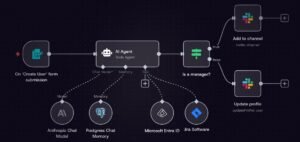
n8n’s current agent functionality supports using workflows as tools and allows agents to be called from workflows or other interfaces.
2. AI Workflow Builder
One of n8n’s newer AI capabilities is its AI Workflow Builder.
Instead of starting with a blank canvas, you can describe what you want to automate in natural language.
For example:
“When I receive a customer email, analyze the request, classify its priority, create a CRM ticket, and notify the support team on Slack.”
The AI-assisted builder can help create the workflow, after which you can inspect and modify the generated workflow.
n8n describes the AI Workflow Builder as a way to describe an automation in natural language and have AI plan and build the workflow.
3. RAG — Retrieval-Augmented Generation
RAG allows AI applications to retrieve relevant information from external data before generating an answer.
For example:
Company PDFs
     ↓
Knowledge Base
     ↓
Retriever
     ↓
AI Model
     ↓
Answer
This can be useful for:
- Employee knowledge bases
- Customer support
- Product documentation
- Internal policies
- Technical documentation
4. MCP Support
MCP, or Model Context Protocol, can connect AI systems with tools and data.
n8n supports MCP-related functionality, allowing workflows to be exposed to AI clients and MCP-enabled tools to be used within workflows.
This can make n8n workflows useful as callable tools for AI systems.
5. Human-in-the-Loop
Not every AI decision should happen automatically.
For sensitive operations, you can require human approval.
Example:
AI creates refund request
        ↓
Human approval
        ↓
Refund processed
This is particularly important for:
- Financial transactions
- Deleting records
- Sending sensitive communications
- Production changes
- Customer refunds
- Security operations
n8n emphasizes human approval and guardrails for AI-powered workflows.
6. Code Integration
Although n8n offers a visual interface, developers can also use code when necessary.
This gives n8n a hybrid approach:
Visual automation + APIs + AI + Code
That can be useful when a simple drag-and-drop workflow isn’t enough.
7. Self-Hosting
n8n can be self-hosted.
This can be particularly attractive to organizations that need greater control over:
- Infrastructure
- Data
- Security
- Networking
- Deployment
- AI models
n8n also provides options for running AI locally. Its self-hosted AI starter kit has included components such as n8n, Ollama, Qdrant, and PostgreSQL.
How to Create a Workflow With n8n AI — Step by Step
Let’s create a simple example:
AI Customer Email Classifier
The objective is:
Read an email → classify it → assign priority → create an action.
Step 1: Create an n8n account or instance
You can use n8n Cloud or deploy n8n yourself.
For experimentation, n8n offers a hosted trial, while a self-hosted Community Edition is also available.
Step 2: Create a new workflow
Open the n8n editor and create a new workflow.
Step 3: Add a trigger
Choose a trigger such as an email event or webhook.
Example:
New Email
Step 4: Add the AI component
Add an AI model or AI Agent configuration.
Give it instructions such as:
Analyze the incoming customer email.

Classify the email into:
- Sales
- Support
- Billing
- General

Also determine:
- Priority: Low, Medium, High
- Sentiment: Positive, Neutral, Negative

Return the result in structured JSON.
Step 5: Add conditional logic
Use an IF or Switch node.
For example:
Priority = High
       ↓
Notify Support Manager
and:
Priority = Low
       ↓
Create Standard Ticket
Step 6: Connect your application
You could send the result to:
- Salesforce
- HubSpot
- Google Sheets
- Slack
- Microsoft Teams
- PostgreSQL
- MySQL
- Another API
Step 7: Test the workflow
Run the workflow manually and examine each node’s output.
Step 8: Activate the workflow
Once you are satisfied with the result, activate the workflow.
Your automation is now capable of processing emails automatically.
How to Create Nested Workflows in n8n
A nested workflow, often called a sub-workflow, is a workflow that is called by another workflow.
This is extremely useful for large automation projects.
Instead of building one giant workflow:
Trigger
 ↓
Process Data
 ↓
AI
 ↓
CRM
 ↓
Email
 ↓
Reporting
 ↓
Notifications
 ↓
Error Handling
you can divide it into smaller workflows.
Parent workflow
Main Workflow
      ↓
Customer Processing
      ↓
AI Analysis
      ↓
Notification Workflow
Child workflow
AI Analysis Workflow
      ↓
Receive Input
      ↓
Analyze
      ↓
Return Result
Why use nested workflows?
Nested workflows provide:
- Reusability
- Easier maintenance
- Cleaner architecture
- Better testing
- Easier troubleshooting
- Modular development
n8n also supports using workflows as tools for AI agents, which makes reusable workflows especially valuable in agentic architectures.
Example
Suppose a company has 20 workflows that need to send Slack notifications.
Instead of configuring Slack notification logic 20 times, create:
Slack Notification Workflow
Then allow other workflows to call it.
This follows a software engineering principle:
Build once, reuse many times.
How Businesses Can Use n8n AI
n8n AI can be applied across many business departments.
Marketing
Marketing teams can automate:
- Content research
- Blog creation
- SEO analysis
- Social media publishing
- Email campaigns
- Lead enrichment
- Competitor monitoring
For example:
New Product
   ↓
AI generates description
   ↓
SEO optimization
   ↓
Social posts
   ↓
Email campaign
Sales
Sales teams can automate:
- Lead qualification
- Lead enrichment
- CRM updates
- Follow-up emails
- Meeting summaries
- Prospect research
Example:
New Lead
   ↓
AI Research
   ↓
Lead Score
   ↓
CRM Update
   ↓
Sales Notification
Customer Support
AI can:
- Classify tickets
- Analyze sentiment
- Search documentation
- Draft answers
- Escalate issues
- Update ticketing systems
Human Resources
HR teams can use AI workflows for:
- Candidate screening
- Resume information extraction
- Interview scheduling
- Employee FAQs
- Job description generation
- HR document classification
Human review should remain in sensitive employment decisions.
IT Operations
IT teams can build workflows for:
- Alert classification
- Incident management
- Log analysis
- Ticket routing
- Automated notifications
- Infrastructure tasks
- Security workflows
Finance
Possible use cases include:
- Invoice processing
- Data extraction
- Expense classification
- Financial reporting
- Payment workflow approvals
- Document processing
For financial actions, human approval and strong controls are recommended.
n8n AI Use Cases for Students
Students can use n8n to automate:
Research Assistant
Research Topic
      ↓
Collect Information
      ↓
AI Summarization
      ↓
Structured Notes
Study Assistant
A workflow can process study materials and create:
- Summaries
- Flashcards
- Questions
- Revision notes
Assignment Organization
n8n can help automate:
- Deadline reminders
- Task management
- Research organization
- Document processing
n8n AI Use Cases for Teachers
Teachers can use n8n AI to:
- Generate lesson plans
- Create quiz questions
- Summarize educational content
- Generate classroom activities
- Organize student submissions
- Create personalized learning materials
Example:
Topic
 ↓
AI Lesson Plan
 ↓
Quiz Generator
 ↓
Worksheet Generator
 ↓
Teacher Review
n8n AI Use Cases for Creators
Content creators can automate:
- YouTube content research
- Video scripts
- Social media captions
- Blog outlines
- Newsletter generation
- Content repurposing
One long-form article could potentially become:
Blog
 ↓
AI
 ├── LinkedIn Post
 ├── X Post
 ├── Instagram Caption
 ├── Newsletter
 └── Video Script
n8n AI Use Cases for Marketers
Marketing professionals can use n8n AI for:
- SEO content workflows
- Keyword research
- Lead generation
- Email personalization
- Social media automation
- Competitor monitoring
- Content repurposing
- Campaign reporting
An advanced marketing workflow might look like:
Research
   ↓
AI Analysis
   ↓
Content Creation
   ↓
SEO Optimization
   ↓
Human Review
   ↓
Publish
   ↓
Social Distribution
n8n AI Use Cases for Developers
Developers can use n8n for:
- API orchestration
- AI applications
- RAG systems
- MCP integrations
- Data pipelines
- Testing workflows
- Webhook automation
- Database operations
- DevOps automation
The biggest advantage for developers is that n8n doesn’t force them to choose between visual workflows and code.
They can use visual nodes for common operations and code where custom logic is required.
n8n AI Use Cases for Businesses
Businesses can build sophisticated systems such as:
AI Customer Service Agent
Customer Message
       ↓
AI Agent
       ↓
Knowledge Base
       ↓
Customer Database
       ↓
Answer
       ↓
Human Escalation if Needed
AI Sales Agent
Lead
 ↓
Research
 ↓
Enrichment
 ↓
AI Lead Scoring
 ↓
CRM
 ↓
Personalized Email
AI Research Agent
Research Question
       ↓
Information Collection
       ↓
AI Analysis
       ↓
Fact Organization
       ↓
Report
n8n specifically highlights multi-agent systems, deep research agents, RAG agents, and planning agents as important AI workflow patterns.
n8n Free vs Premium Plans
One important point is that n8n does not have a product officially called a separate “n8n AI” subscription. AI capabilities are integrated into n8n’s workflow and agent platform.
n8n currently offers hosted plans as well as a self-hosted Community Edition. Pricing is primarily based on workflow executions rather than the number of workflow steps.
Community Edition
The self-hosted Community Edition is available for users who want to run n8n themselves.
It can be attractive for:
- Developers
- Students
- Technical users
- Small projects
- AI experimentation
- Private infrastructure
However, self-hosting means you are responsible for deployment, updates, security, backups, monitoring, and infrastructure.
Starter
The current n8n Starter plan is listed at €20/month when billed annually, with 2,500 workflow executions and unlimited workflow steps. It includes AI agents, MCP and AI nodes.
Pro
The Pro plan is currently listed at €50/month when billed annually, with 10,000 workflow executions and additional collaboration, administration, history, and scaling capabilities.
Business
The Business plan is currently listed at €667/month when billed annually, with 40,000 workflow executions and advanced features such as SSO/LDAP, environments, Git-based version control, and scaling capabilities. The current pricing page identifies Business as self-hosted.
Enterprise
Enterprise pricing is customized and intended for organizations requiring advanced governance, security, support, scaling, and compliance capabilities.
Important pricing consideration
AI workflows can potentially consume significant execution volume.
Therefore, before selecting a plan, estimate:
Number of workflow runs × expected automation frequency
For example:
500 executions/day
×
30 days
=
15,000 executions/month
Your actual usage should determine the appropriate plan.
Advantages of n8n AI
1. Powerful automation
n8n combines AI with traditional workflow automation.
2. Visual workflow builder
You can visually understand how data moves through the system.
3. Large integration ecosystem
n8n currently promotes 500+ integrations for building AI and automation workflows.
4. AI agents
You can build autonomous or semi-autonomous AI workflows.
5. Self-hosting
Organizations can host n8n themselves when they need more infrastructure and data control.
6. Human approval
Sensitive operations can include human-in-the-loop controls.
7. Developer friendly
Developers can use APIs, JavaScript/Python code, HTTP requests, custom integrations, and other technical capabilities.
8. Reusable workflows
Sub-workflows can make large automation projects easier to maintain.
9. Flexible AI model selection
n8n’s architecture is designed to work with different AI models and tools rather than forcing users into a single AI provider.
10. Excellent for complex automation
n8n becomes particularly powerful when AI needs to interact with multiple systems.
Disadvantages of n8n AI
Despite its strengths, n8n isn’t perfect for every user.
1. Learning curve
Basic workflows are relatively easy, but advanced AI workflows can become complicated.
2. Self-hosting requires technical knowledge
If you run n8n yourself, you need to manage:
- Servers
- Docker
- Security
- Backups
- Updates
- Monitoring
3. AI costs are separate considerations
Using external AI providers can introduce additional API/model costs depending on your architecture.
4. Complex workflows can become difficult to maintain
Poorly designed workflows can become large and difficult to understand.
Using sub-workflows and modular design can help.
5. AI is not always reliable
AI models can:
- Hallucinate
- Misclassify information
- Produce unexpected output
- Make incorrect decisions
Therefore, important workflows should include validation and appropriate human approval.
6. Over-automation can create risk
Just because a task can be automated doesn’t mean it should be completely automated.
Sensitive processes require appropriate controls.
n8n AI Alternatives
Several platforms can be considered depending on your requirements.
1. Zapier
Best for:
- Beginners
- Simple business automation
- Non-technical users
- Large integration ecosystem
Zapier generally provides a simpler user experience, while n8n provides more flexibility for complex workflows and technical customization.
2. Make
Best for:
- Visual automation
- Marketing workflows
- Business process automation
- Users wanting more visual control
Make is a strong alternative for users who want visual automation without managing infrastructure.
3. Microsoft Power Automate
Best for:
- Microsoft 365 users
- Enterprise environments
- Windows-centric organizations
- Microsoft ecosystems
4. Workato
Best for:
- Enterprise integration
- Large organizations
- Complex business processes
5. Pipedream
Best for:
- Developers
- API automation
- Serverless workflows
- Code-heavy automation
6. LangChain / LangGraph
Best for:
- AI developers
- Agent architectures
- Custom AI applications
- Highly programmable systems
Compared with these developer-oriented frameworks, n8n provides a visual automation layer that can combine AI, APIs, business applications, and workflow logic.
n8n vs Zapier
| Feature | n8n | Zapier |
|---|---|---|
| Visual workflow builder | Yes | Yes |
| AI automation | Yes | Yes |
| AI agents | Yes | Yes |
| Self-hosting | Yes | Generally no |
| Developer flexibility | Very high | High |
| Code integration | Strong | Strong |
| Complex workflows | Excellent | Good |
| Beginner friendliness | Moderate | Excellent |
| Enterprise capabilities | Yes | Yes |
| Open/self-hosted option | Yes | No |
| Best for | Technical + advanced automation | Easy business automation |
Which should you choose?
Choose n8n if you want:
- More control
- Self-hosting
- Complex workflows
- Developer flexibility
- AI agents
- Advanced automation
Choose Zapier if you want:
- Simplicity
- Fast setup
- Easy business automation
- Minimal infrastructure management
Best Practices for Building n8n AI Workflows
1. Start small
Don’t build a 50-node AI workflow on day one.
Start with:
Trigger
 ↓
AI
 ↓
Output
Then gradually add functionality.
2. Use structured AI output
Instead of asking an AI model for free-form text, request structured information when possible.
For example:
{
  "category": "support",
  "priority": "high",
  "sentiment": "negative"
}
This makes downstream automation easier.
3. Add validation
Never blindly trust AI output.
Validate:
- Required fields
- Data types
- Business rules
- Security conditions
4. Use human approval for sensitive actions
Especially for:
- Payments
- Refunds
- Account deletion
- Legal communications
- Production changes
- Sensitive customer actions
5. Create reusable sub-workflows
If the same functionality appears multiple times, turn it into a reusable workflow.
6. Monitor executions
Review failed executions and unexpected AI outputs.
7. Keep AI and deterministic logic separate
A good architecture often looks like:
AI
 ↓
Interpretation
 ↓
Deterministic Rules
 ↓
Action
rather than:
AI
 ↓
AI decides everything
 ↓
Action
Frequently Asked Questions About n8n AI
What is n8n AI?
n8n AI refers to the AI capabilities within the n8n automation platform. It allows users to combine AI models, AI agents, applications, APIs, databases, and workflow automation.
Is n8n an AI tool?
n8n is primarily a workflow automation platform with extensive AI capabilities. It is not itself an LLM like ChatGPT or Claude.
Is n8n AI free?
n8n provides a self-hosted Community Edition, while its hosted plans are paid after the applicable trial. Current paid plans include Starter, Pro, Business, and Enterprise options.
Does n8n have AI agents?
Yes. n8n provides AI Agent capabilities that can use models, tools, workflows, and other connected systems to accomplish tasks.
Can n8n connect to ChatGPT?
n8n can integrate with OpenAI-related services and other AI model providers through its nodes, credentials, APIs, and AI workflow capabilities.
Can n8n use Claude?
Yes. n8n can be integrated with Anthropic’s Claude models through supported integrations and API connectivity.
Can I self-host n8n?
Yes. n8n provides a self-hosted Community Edition and supports self-hosted deployments.
Is n8n suitable for beginners?
Yes, for basic automation. However, advanced AI agents, APIs, databases, authentication, error handling, and self-hosting require a higher level of technical knowledge.
What is a nested workflow in n8n?
A nested workflow, commonly implemented as a sub-workflow, is a workflow that is called from another workflow. It allows you to create reusable automation components.
Can n8n build AI chatbots?
Yes. n8n can be used to build AI chatbots connected to AI models, memory, knowledge sources, APIs, and business systems.
Can n8n build AI agents?
Yes. AI agents are a major part of n8n’s current AI functionality.
Can n8n run AI locally?
Yes. Self-hosted n8n can be combined with local AI infrastructure. n8n has also published a self-hosted AI starter kit using tools including Ollama, Qdrant, and PostgreSQL.
Is n8n better than Zapier?
It depends on the use case.
n8n is often better for technical users who need complex workflows, self-hosting, custom code, APIs, and advanced AI automation.
Zapier may be easier for beginners who want straightforward business automation.
Is n8n good for businesses?
Yes. n8n can connect AI with CRM systems, databases, communication platforms, APIs, internal applications, and other business systems.
Final Verdict: Is n8n AI Worth Learning?
Yes — especially if you want to build serious AI automation rather than simply use AI chatbots.
The biggest strength of n8n is not AI alone.
It is the combination of:
AI + Automation + APIs + Business Applications + Logic + Code + Human Approval
That combination allows organizations to build workflows that go beyond generating text.
For example:
AI Model
   +
Business Data
   +
External APIs
   +
Workflow Logic
   +
Human Approval
   +
Automation
This can turn an AI model into a practical business system.
n8n is particularly attractive for developers, IT professionals, automation specialists, marketers, technical entrepreneurs, startups, and organizations that want greater control over their AI workflows.
For beginners, there is a learning curve. But once you understand triggers, nodes, credentials, AI models, agents, conditional logic, APIs, and sub-workflows, n8n can become a powerful automation platform.
The platform’s current direction also goes beyond traditional workflow automation: n8n is investing heavily in AI agents, AI-assisted workflow building, MCP, RAG, multi-agent systems, and AI-powered business automation.
Our rating
| Category | Rating |
|---|---|
| AI Automation | ⭐⭐⭐⭐⭐ |
| Workflow Flexibility | ⭐⭐⭐⭐⭐ |
| AI Agent Capabilities | ⭐⭐⭐⭐⭐ |
| Integrations | ⭐⭐⭐⭐⭐ |
| Developer Features | ⭐⭐⭐⭐⭐ |
| Ease of Use | ⭐⭐⭐⭐ |
| Self-Hosting | ⭐⭐⭐⭐⭐ |
| Beginner Friendliness | ⭐⭐⭐⭐ |
| Enterprise Automation | ⭐⭐⭐⭐⭐ |
| Overall | 4.7/5 |
Bottom line
If your goal is simply to connect two applications, simpler automation platforms may be enough.
But if your goal is to build intelligent, reusable, API-connected, AI-powered workflows that can grow into sophisticated business automation systems, n8n is one of the most compelling platforms to learn.
Related Topics
- AI automation tools
- Best AI workflow automation tools
- n8n vs Zapier
- n8n vs Make
- n8n AI Agents
- How to build AI agents
- RAG with n8n
- MCP with n8n
- AI workflow automation
- No-code and low-code AI tools
- Best AI tools for businesses
- AI automation for marketers
- AI automation for developers
- AI tools for students and teachers
Official n8n resources: n8n AI Automation · n8n AI Agents · n8n Pricing